Every squad's week.
Every soldier's score.
A live multi-tenant platform that runs the whole cycle: ten-field weekly plans for every squad, events entered once at platoon or company level, fitness-test and waist-to-height records banded so the weak event shows before you read a name, and test days that turn a roster into a recording queue. Live at squadpt.com — free for squads.


Ten fields a day. Five days a week. Every squad.
Focus, location, uniform, instructors, equipment, warm-up, workout, cool-down, AAR and notes — a real plan, not a sticky note. Squads are tabs across the top, and edit is a role rather than a hope.
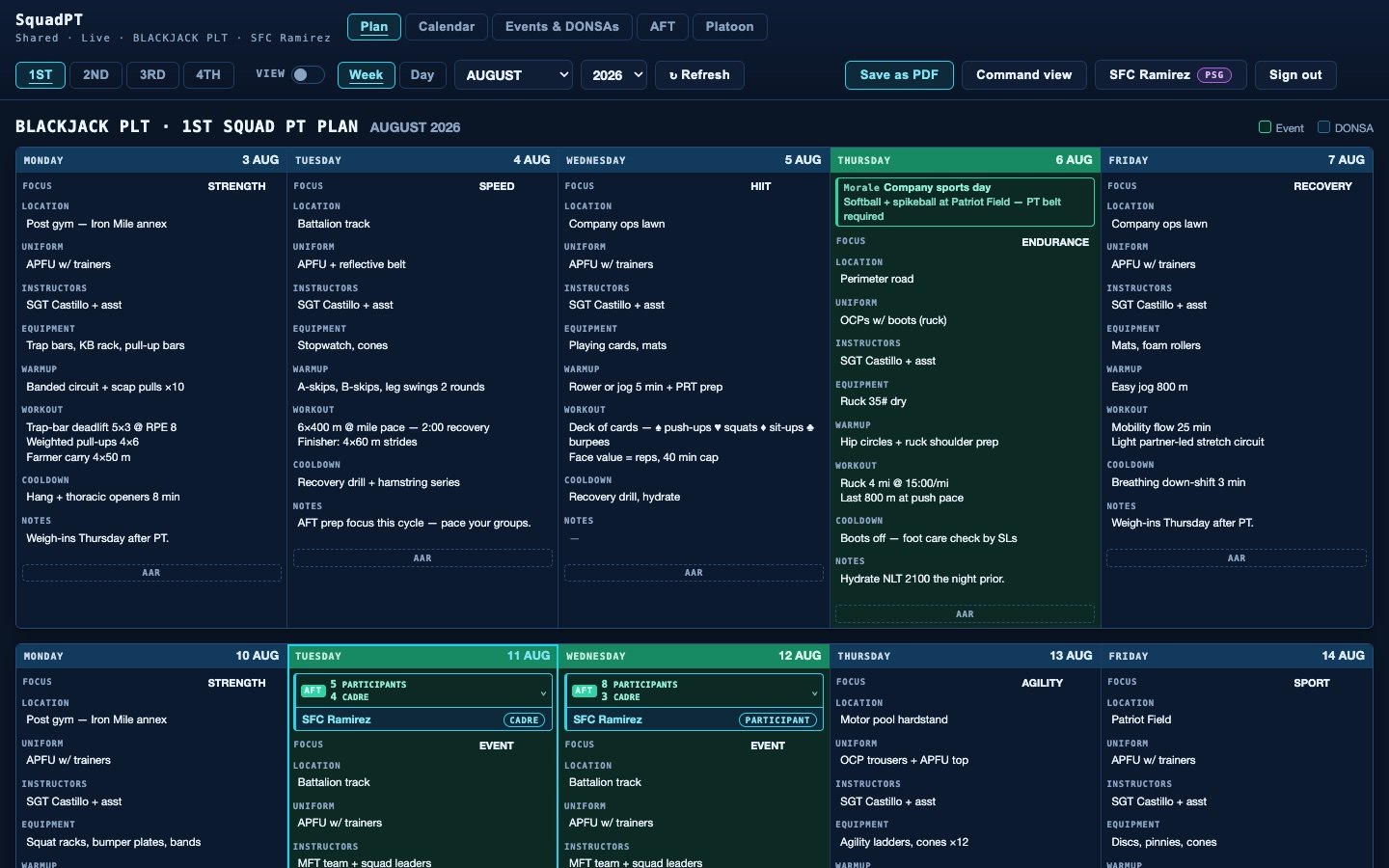
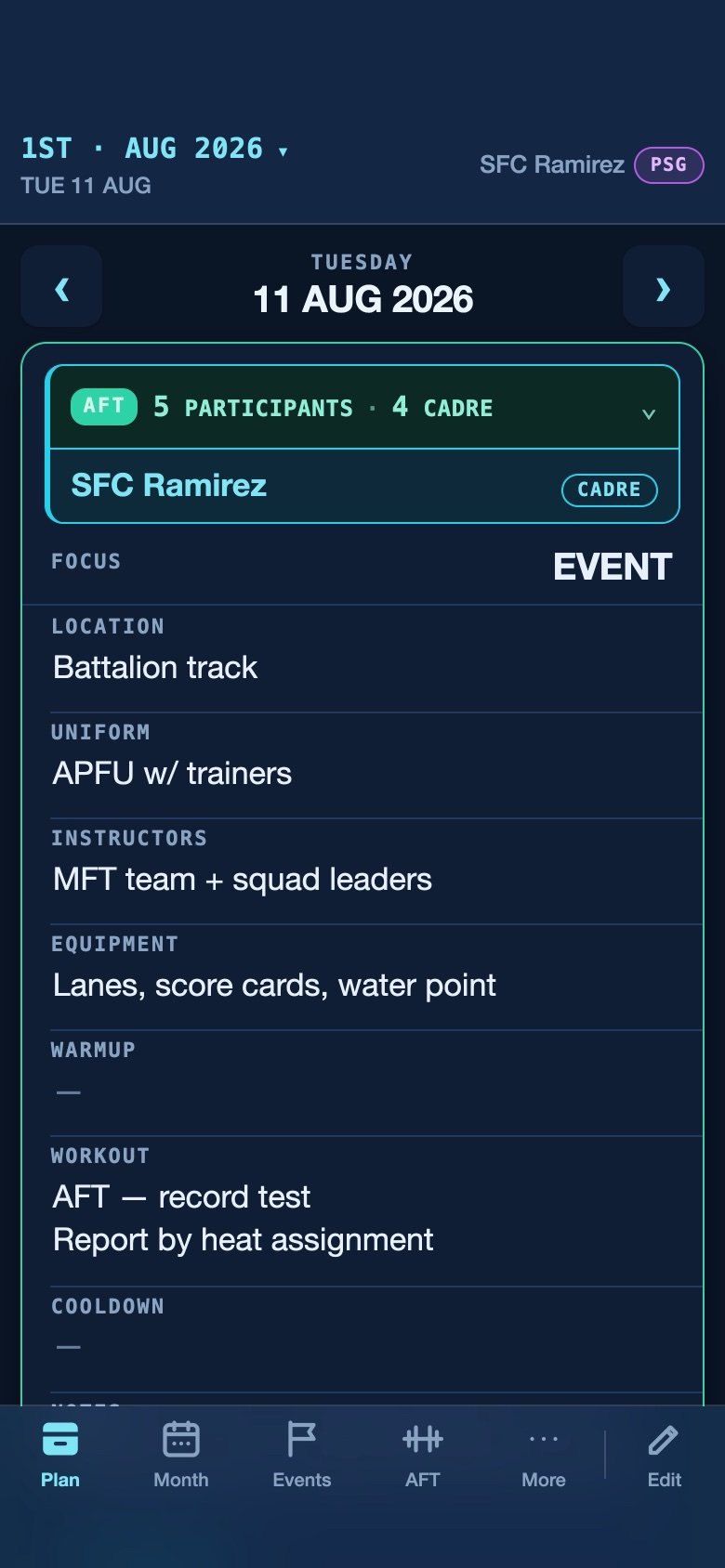
The shipped application, captured from the exhibit on the bench — fictional seed data, BLACKJACK PLT
The week, or the day
Desktop gets the full five-column board. A phone defaults to one day, because nobody reads a spreadsheet at 0530 in a formation.
Edit is a role
Member, squad leader, platoon sergeant, admin, owner — plus month-scoped grants for handing off a planning cycle without handing over the keys.
Templates do the typing
Save any day as a template — ruck day, track day, deck of cards — and stamp out a week in minutes.
Type it one time. It lands everywhere.
Events and DONSAs are entered once at platoon level — or once at company level, above it — and appear on the matching date of every squad's plan and calendar underneath.
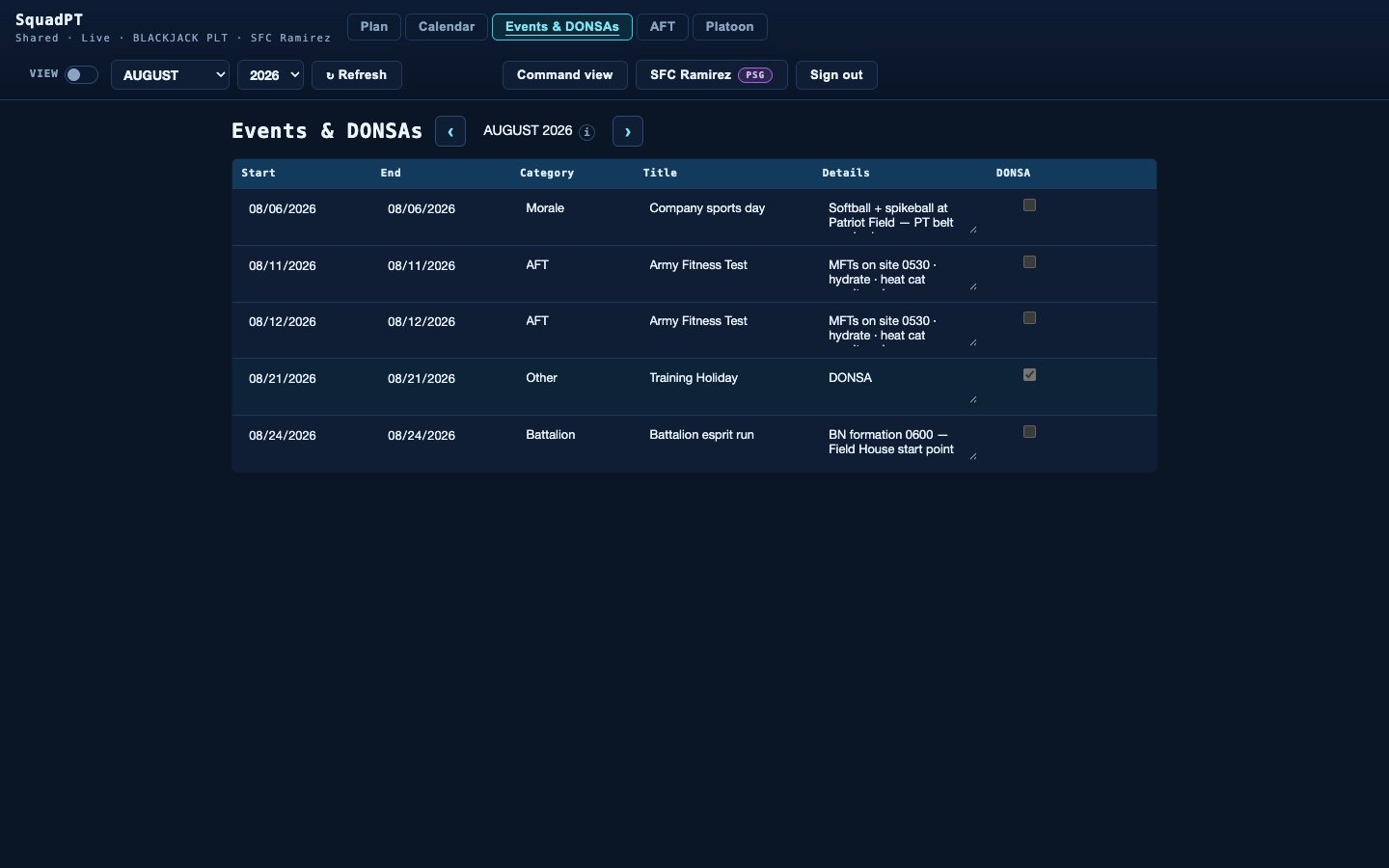
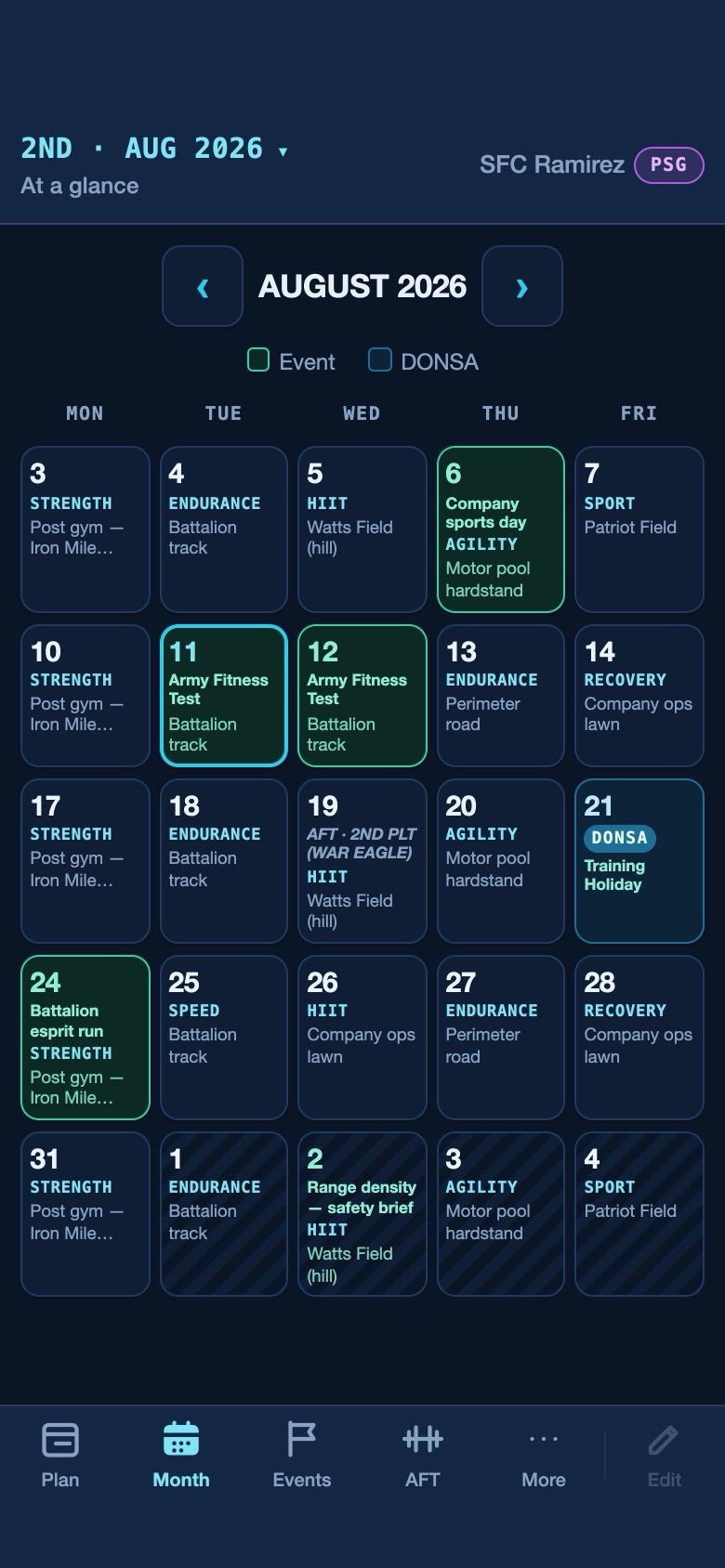
One row in the editor paints every board beneath it
Green means everyone
An event typed at platoon level lands on the matching date in every squad's board at once — nobody retypes it, and nobody misses it.
DONSAs are loud
One flag marks the training holiday across every squad with a full-day banner. No accidental 0530 formation.
No horizon limit
Month and year selectors browse anywhere. Last year's plans read exactly as they were written.
The weak event, before you read a name.
Fitness-test and waist-to-height records roll up from soldier to squad to platoon. Every cell is banded, and the column carrying the lowest average is outlined on every row — so the gap in the formation is a shape on the screen, not a number you have to go hunting for.
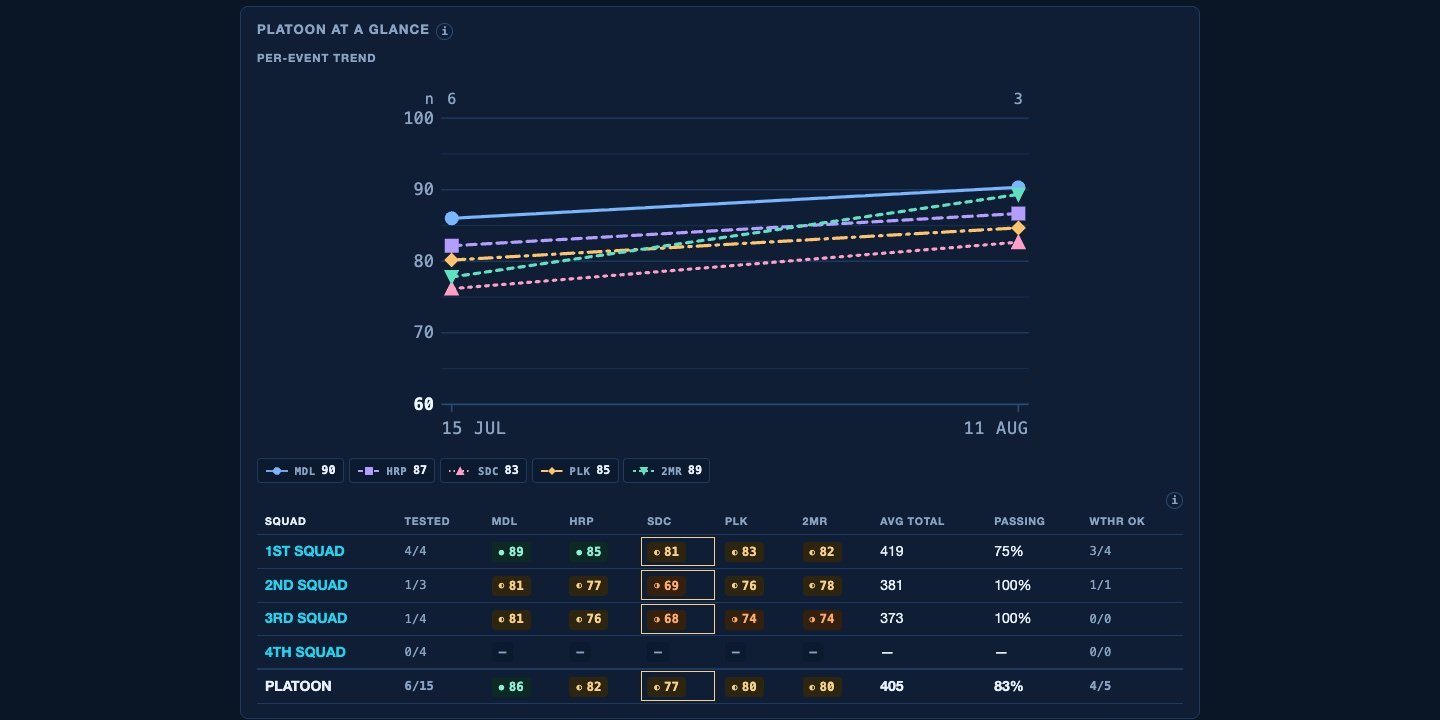
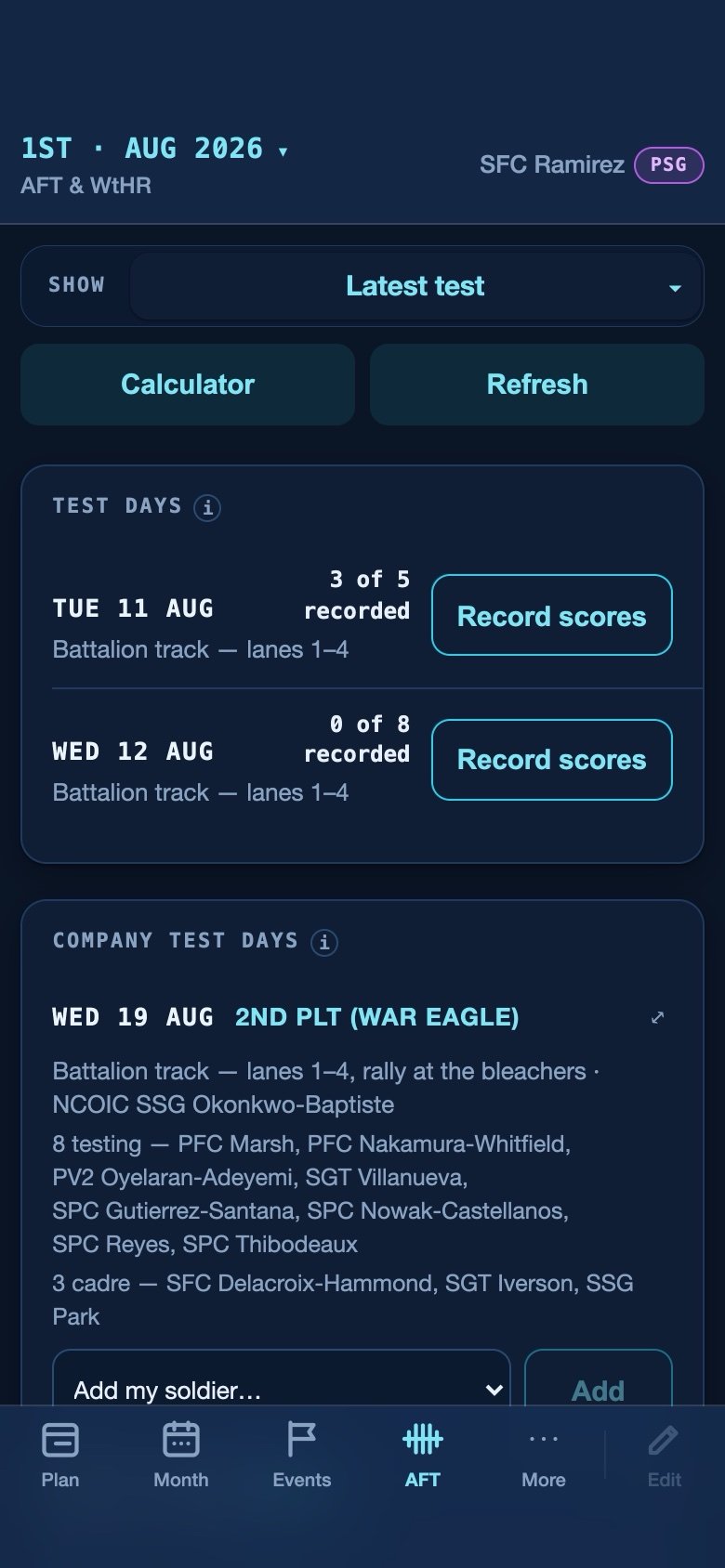
Scores and rollups — fictional seed data
Sideways tables don't survive a phone
The desktop table becomes one card per squad rather than a five-column grid scrolled sideways with a thumb.
The platoon row is real math
It is computed from every soldier, not averaged from the squad averages — which would quietly weight a four-man squad the same as a twelve-man one.
Nothing computed is stored
Raw scores go in the database; points, bands and totals are derived on read. Doctrine and product policy sit in separate modules on purpose, so a scoring-table change never rewrites history.
A roster, turned into a recording queue.
Schedule a test day and it paints into every squad's board. On test morning the participant roster becomes a queue: date and for record already filled, and saving one soldier advances to the next name nobody has recorded yet.
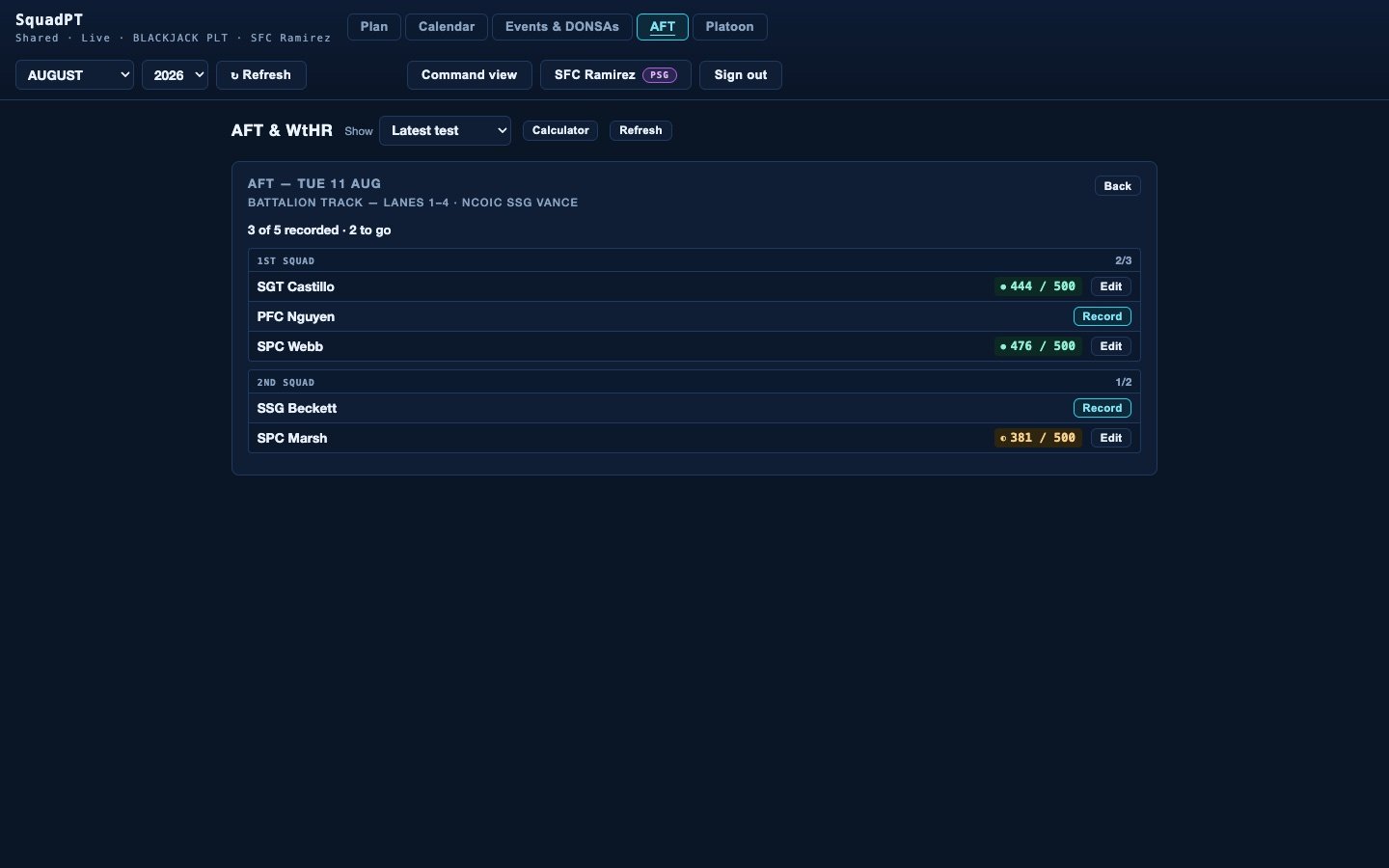
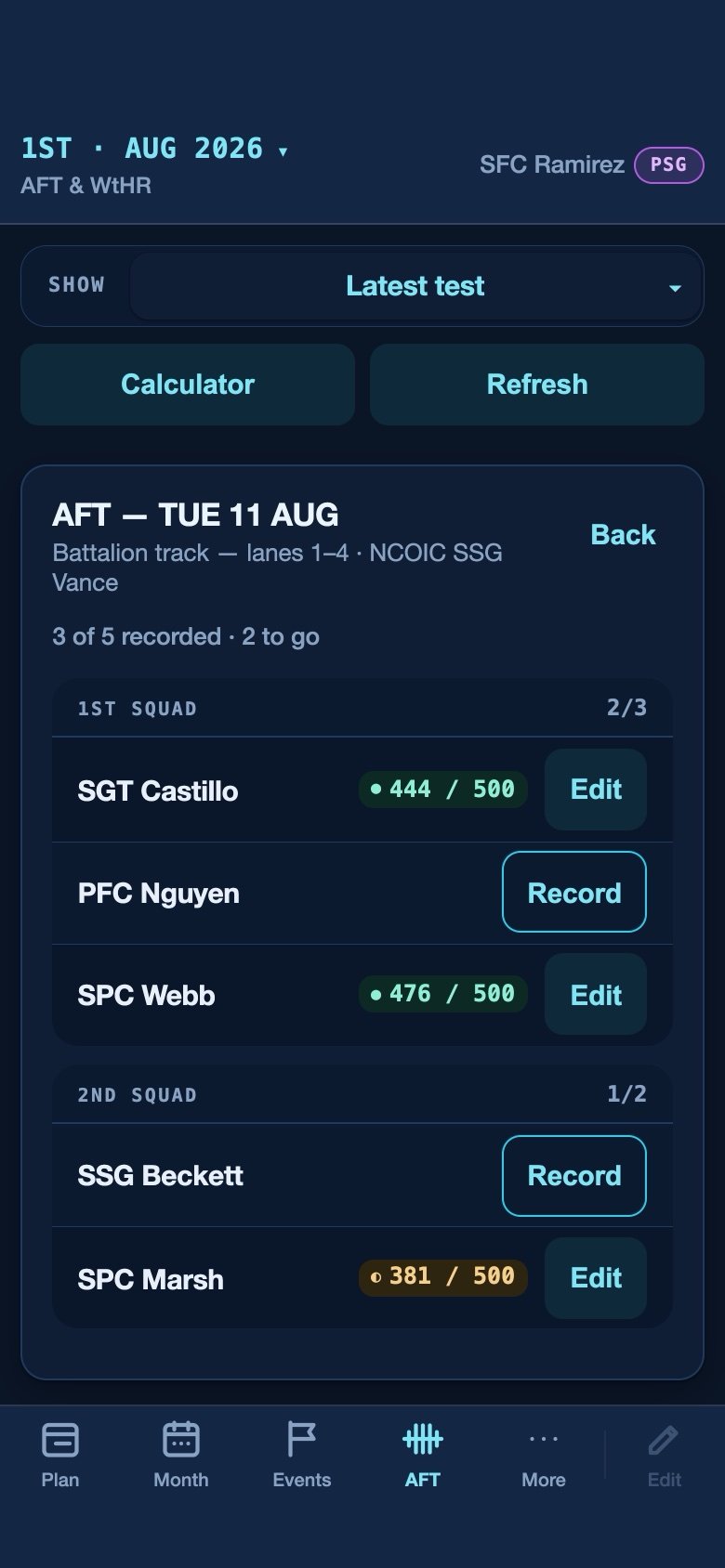
Two scheduled test days, one part-recorded — fictional seed data
Two authorities, one day
Scheduling the day belongs to the platoon sergeant tier; rostering a soldier onto it belongs to that soldier's squad leader. The write unit is a single soldier, because a database policy can only inspect the row actually being written.
The day knows its own count
3 of 5 recorded · 2 to go — the queue tracks itself, so the grader is never reconciling a paper roster against a screen.
Delete once, gone once
A test day and the calendar event it created are paired in the database and die together. There is no way to leave one behind.
Every platoon, every day, one screen.
A company links its platoons under a CO- code and gets a tier of its own: an at-a-glance week across every platoon and squad, company events, PT-day assignments with per-platoon exemptions, a roster, and named delegate roles for the people who actually do the work.
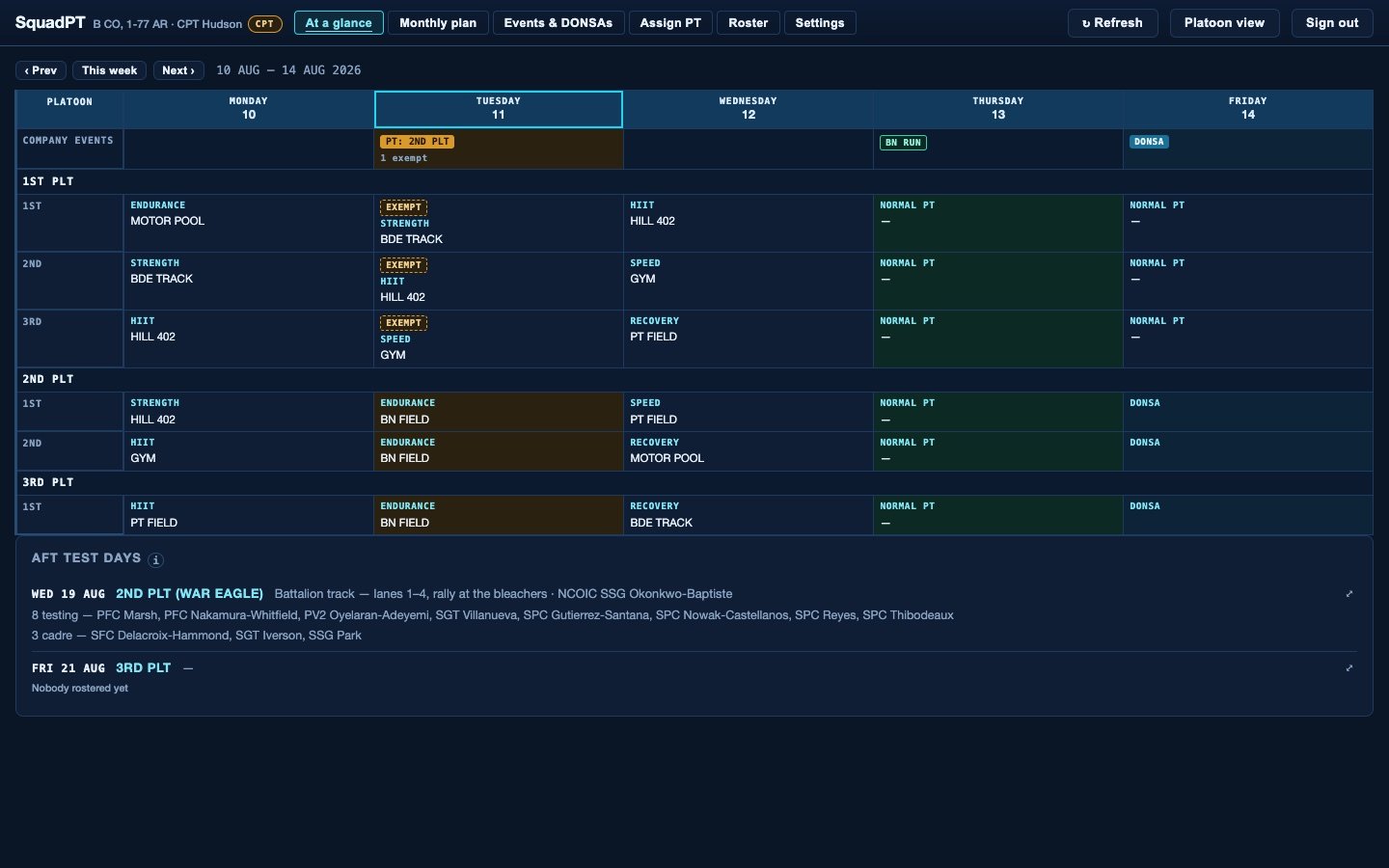
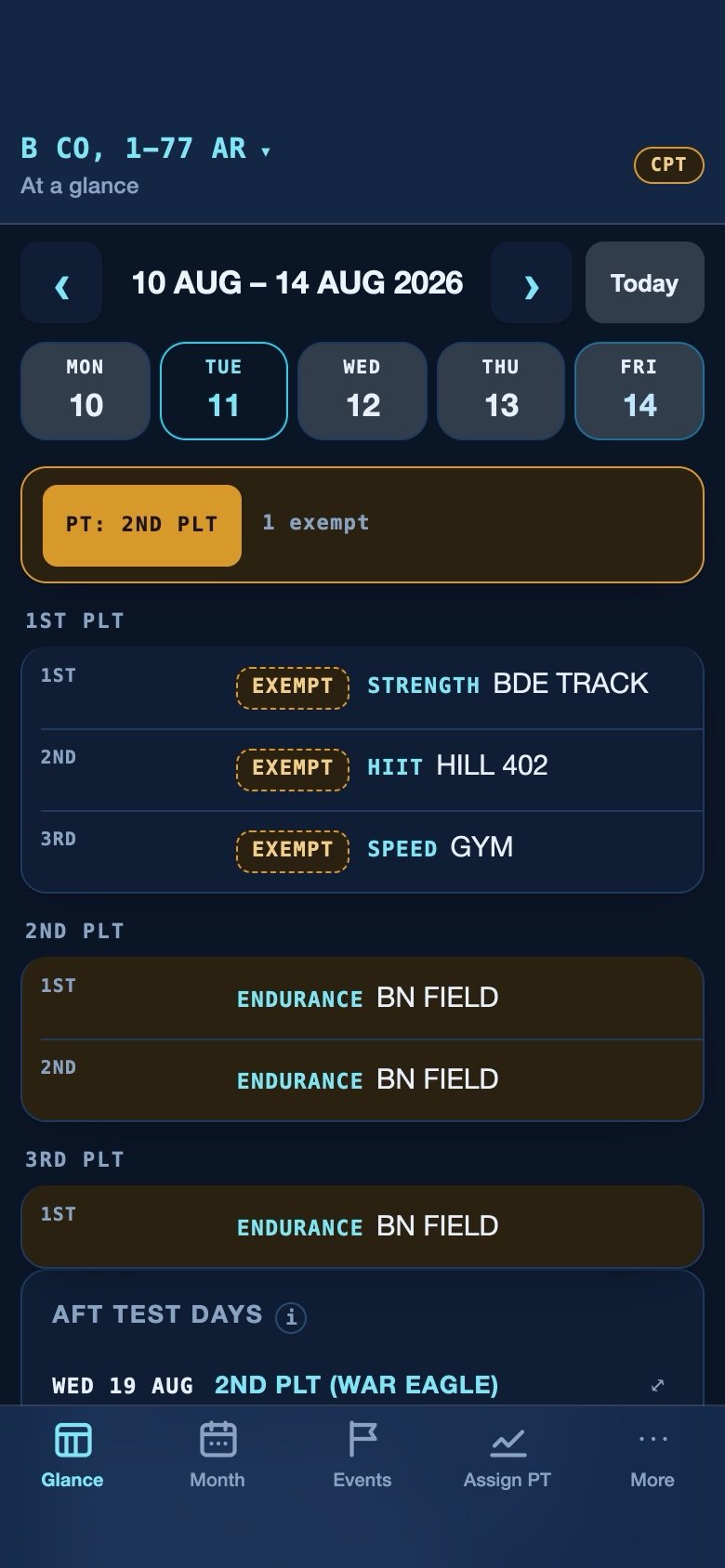
Company view, fictional seed data — B CO, 1–77 AR
Exemptions are first-class
Company PT can be assigned to the whole formation and a platoon excused from it in the same breath — the excused platoon keeps its own plan and says so on the grid.
Delegation without the keys
Command names its own roles — an operations NCO with edit, a training clerk with view — and assigns them to real people. Ownership stays where it belongs.
Command stands up its own platoons
Creating a platoon and linking it is a single database statement, so a half-made platoon with no owner is never reachable. Command gets the join code directly.
Dark ops on screen. Clean paper in hand. No inbox to attack.
“Save as PDF” flips the whole theme to a white, landscape, one-week-per-page handout — pure print CSS, ready for the morning brief, white no matter which of the three themes the author is running. And every account behind it is a username and a password: no email on file, nothing to phish.
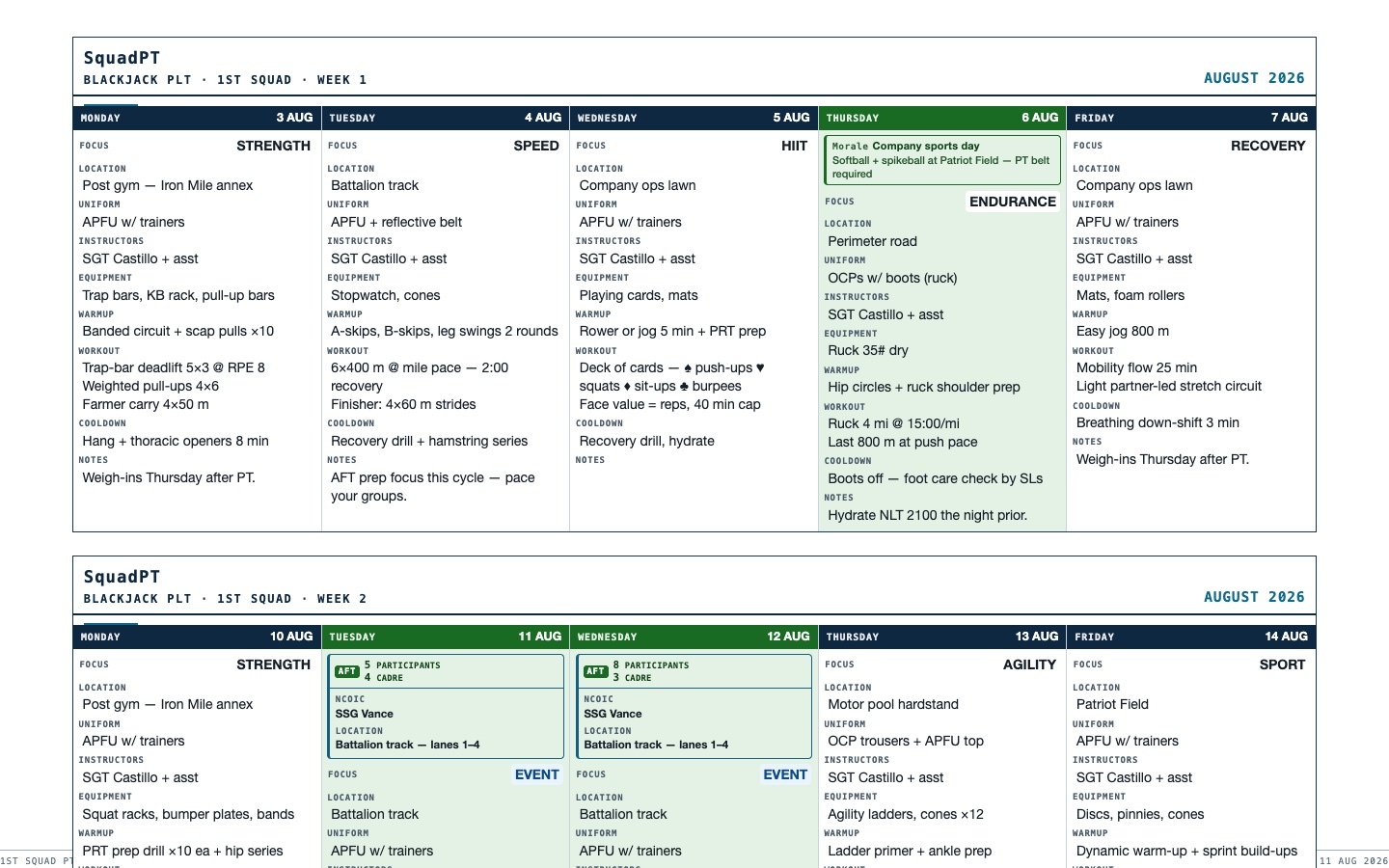
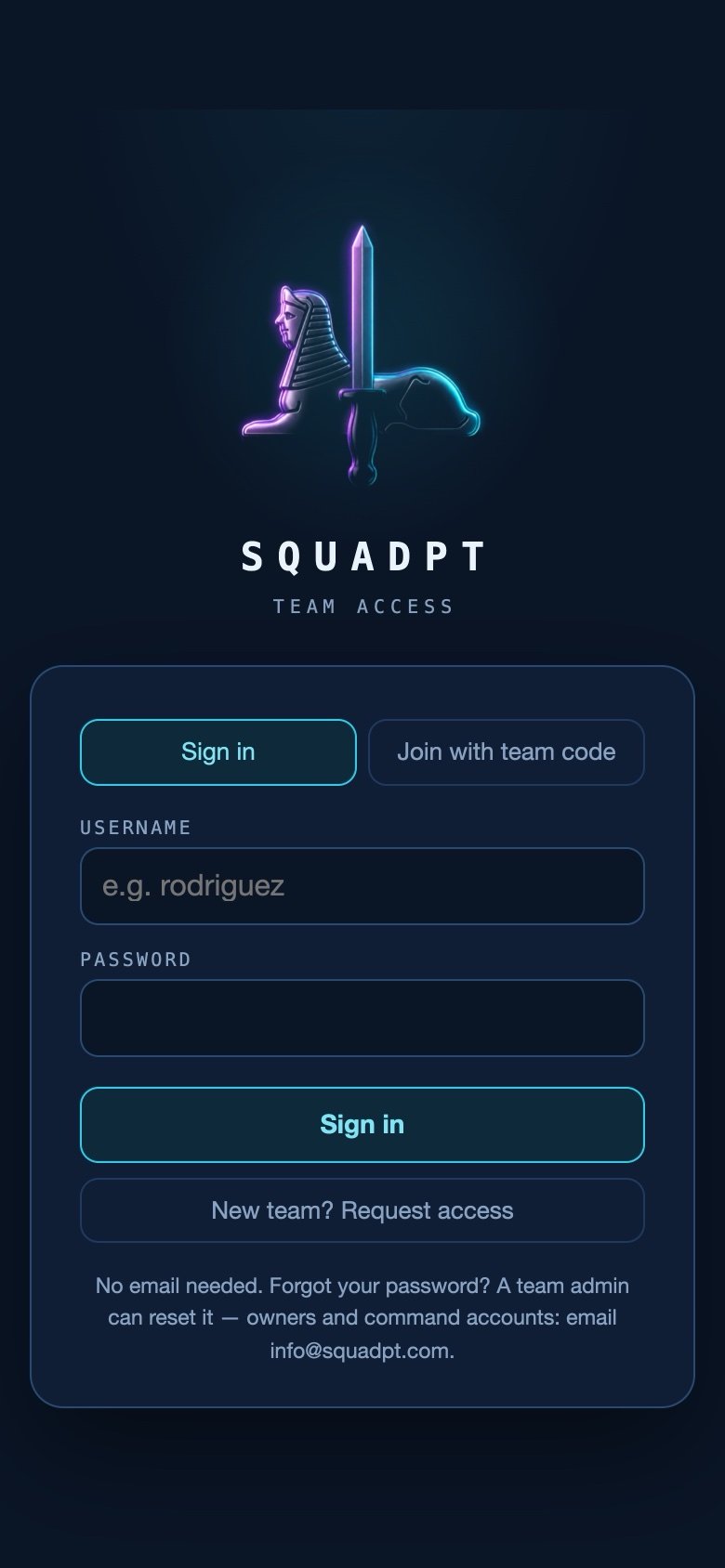
The shipped print output, and the sign-in that never asks for an address
One click, no export wizard
The print stylesheet re-declares the palette in white and the browser's own PDF engine does the rest. No fonts to fetch, no trackers to block — it prints identically on a locked-down network.
Three grounds, one product
Midnight Ops by default; Terminal trades every radius for a corner; Cyberpunk grounds the same layout in charcoal-violet. Squad pills and role badges keep their colours in all three — a theme changes the ground, never the meaning.
Codes rotate, hashes rest
Teams join with a rotatable code stored only as a hash, every new team is approved by a human, and row-level security walls each team off from every other in the database rather than in the client.
Replaces the spreadsheet. Scales with the formation.
Ten-field planning
Week grid, day view, an APEX focus category, and reusable day templates — every squad, every day, structured.
Calendar without walls
Month view per squad, tabs for up to eight squads, unbounded month and year browsing — history reads later exactly as written.
Events & DONSAs, once
Entered at platoon or company level and painted onto every matching date below. One flag marks a no-training day everywhere.
AFT & waist-to-height
Raw scores in, points and bands derived on read. Squad and platoon rollups, per-soldier history, exemptions and alternate events, and a calculator open to everyone.
Test days
Scheduled sessions with participant and cadre rosters that paint into the plan, then drive a self-tracking recording queue on test morning.
Three tiers
Standalone squads, platoons of up to eight squads, and companies linking up to eight platoons — with company events, PT-day assignments and exemptions.
Roles, grants & delegates
Member to owner, mirroring the formation — plus month-scoped edit grants and command-defined delegate roles with view or view-and-edit.
Emailless security
Username and password only — no email on file, no government address, no card reader. Hashed rotatable team codes and database-enforced row-level isolation.
Private, free, yours
No ads, no tracking, no analytics — and your pick of Midnight Ops, Terminal or Cyberpunk. Free for squads; platoon and company tiers free during launch.
No analytics, no cookies, nothing collected — the policy says so in full.